How to Automate Invoice Follow-Ups in QuickBooks
Manual payment reminders don't scale. Explore how QuickBooks users can automate invoice follow-ups, reduce collection workload, and create more predictable cash flow processes with structured workflows.

Introduction
Late payments create unnecessary stress for service businesses, agencies, consultants, and freelancers. A structured follow-up process improves visibility and reduces operational burden.
This article focuses specifically on How to Automate Invoice Follow-Ups in QuickBooks.
Businesses often underestimate the time lost to repetitive payment follow-ups. When reminders become systematic instead of reactive, teams gain visibility, reduce stress, and spend more time on growth activities.
Practical implementation usually begins with:
- Clear workflows
- Communication templates
- Dashboards
- Reporting systems
Over time, these systems help organizations:
- Understand payment behavior
- Identify bottlenecks
- Improve collection processes
- Make better financial decisions
The Problem
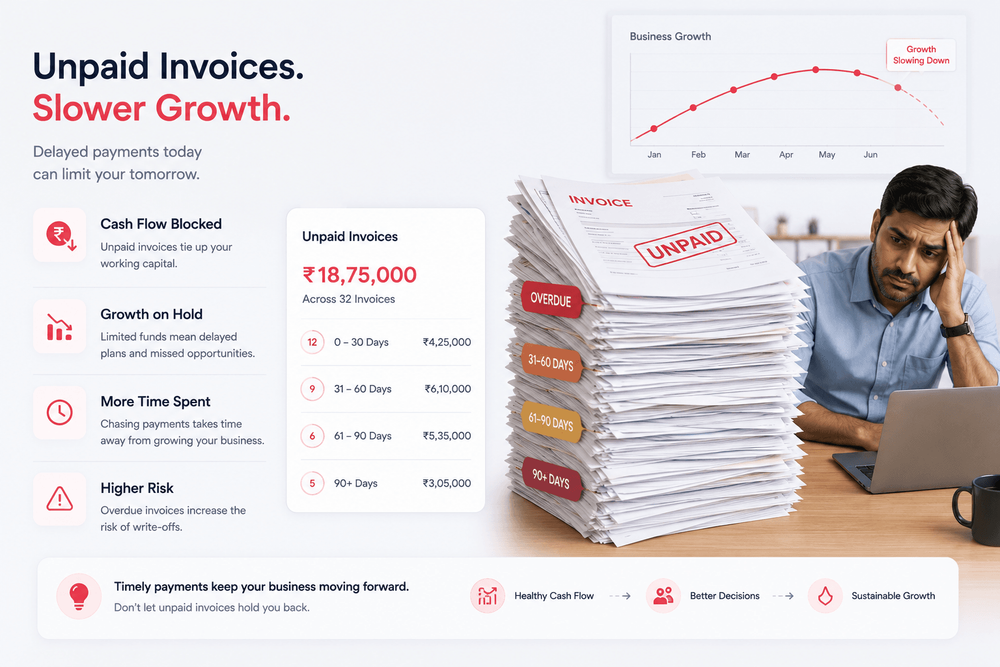
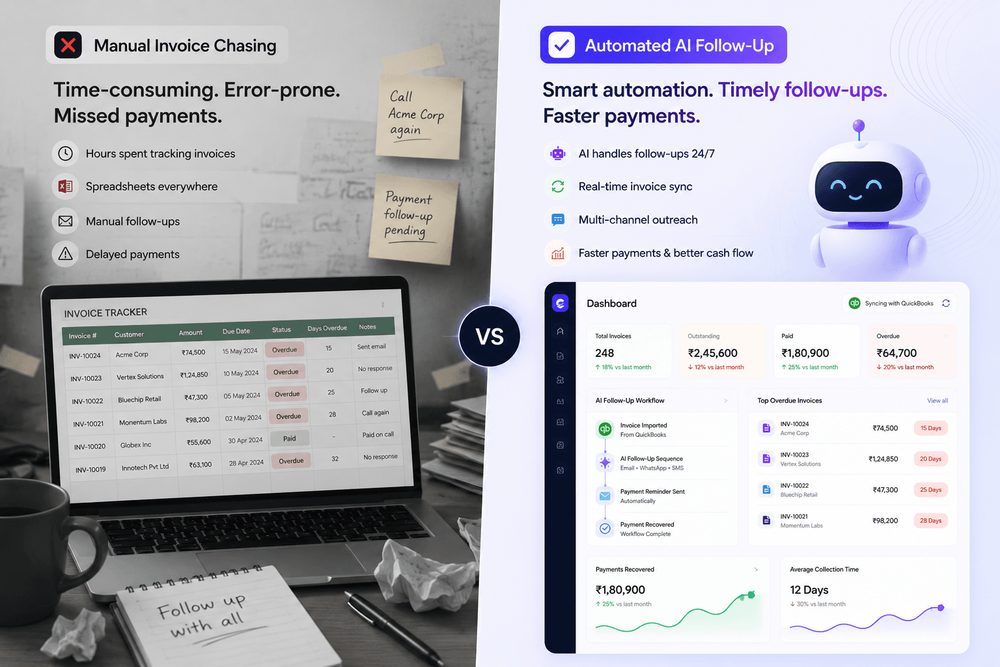
Many businesses rely on:
- Manual reminders
- Spreadsheets
- Personal memory
- Ad-hoc follow-up processes
As invoice volume grows:
- Consistency drops
- Overdue invoices accumulate
- Follow-ups become difficult to track
- Cash flow visibility decreases
Businesses often underestimate the amount of time spent chasing payments. Without a structured process, reminders become reactive rather than proactive, creating unnecessary administrative work and increasing the risk of missed collections.
The Modern Approach
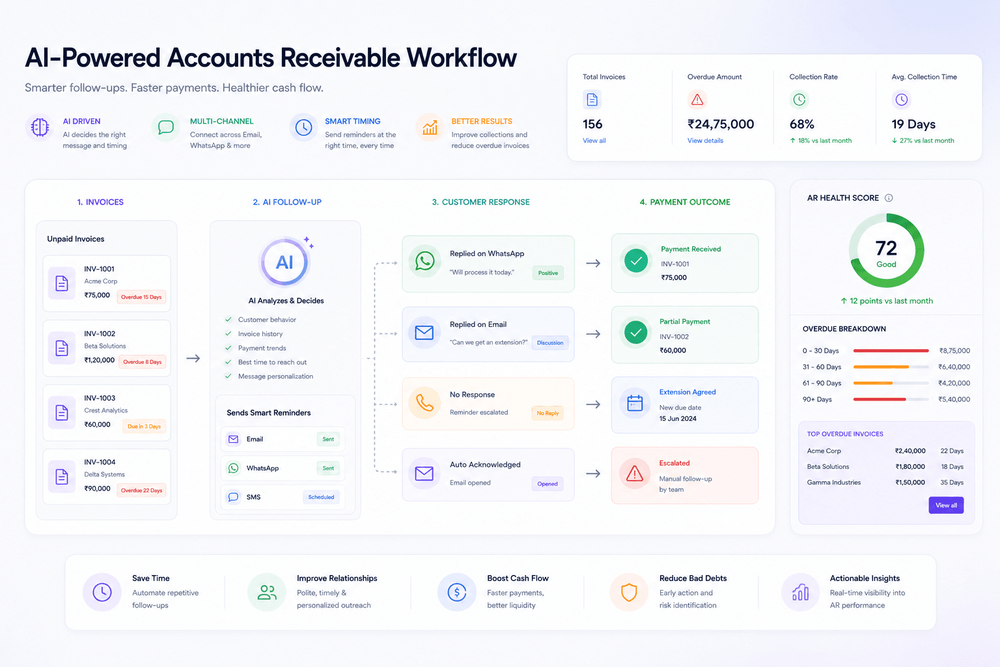
Automation helps teams:
- Schedule reminders automatically
- Track communication history
- Monitor overdue balances
- Maintain professionalism without constant manual effort
When reminders are automated and tracked systematically, businesses gain:
- Better visibility into outstanding invoices
- Reduced operational burden
- More predictable cash flow management
- Additional time to focus on growth activities
Practical implementation typically includes workflows, reminder schedules, communication templates, dashboards, and reporting that provide a clear view of receivables performance.
How Claro Flow Fits In
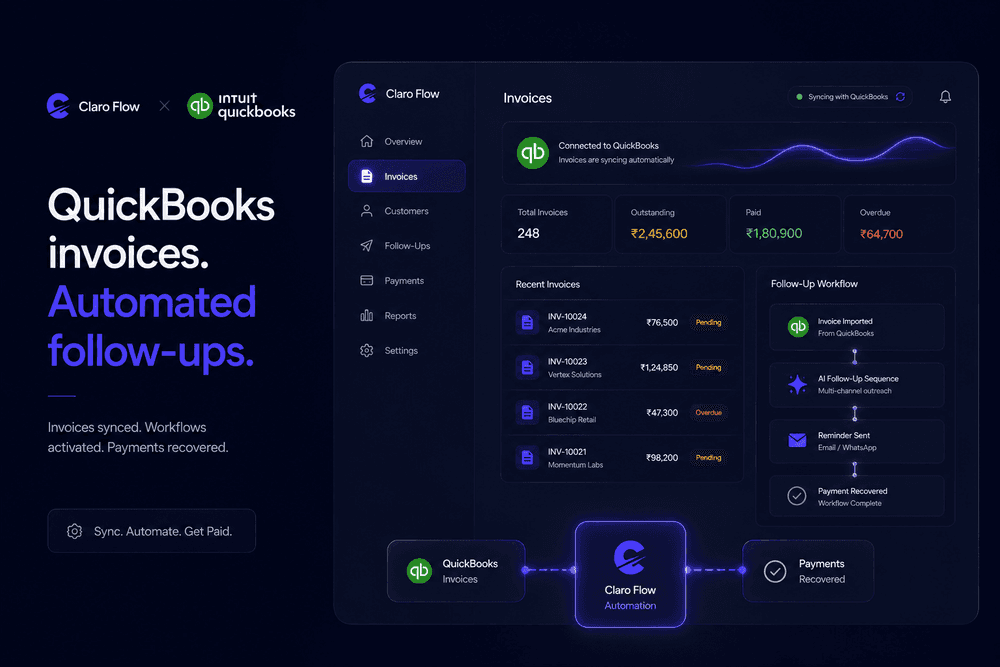
Claro Flow is designed around reducing the burden of invoice follow-ups.
Rather than forcing teams to manually chase payments, workflows can be organized and monitored from a central place. Businesses can establish consistent reminder processes while maintaining visibility into communication history and invoice status.
With a structured approach, teams can:
- Reduce manual follow-up work
- Improve consistency across reminders
- Monitor overdue balances
- Maintain professional customer communication
- Gain better insight into payment behavior
Over time, these processes help organizations identify bottlenecks and improve overall accounts receivable operations.
Best Practices
To improve invoice collection outcomes:
- Use clear payment terms.
- Follow up consistently.
- Maintain a professional tone.
- Track payment commitments.
- Review outstanding balances weekly.
Additional recommendations include:
- Creating standardized reminder templates
- Defining escalation workflows
- Monitoring overdue trends
- Reviewing accounts receivable reports regularly
- Maintaining accurate communication records
Consistency is often more effective than aggressive collection tactics. A predictable and professional process improves both payment outcomes and customer relationships.
Conclusion
The goal is not simply collecting money faster.
The larger objective is creating reliable financial operations that support:
- Healthy cash flow
- Better customer relationships
- Improved operational visibility
- Sustainable business growth
Businesses often underestimate the impact of systematic invoice follow-ups. When reminders become structured instead of reactive, teams gain visibility, reduce stress, and spend more time on strategic work.
Over time, workflows, communication templates, dashboards, and reporting help organizations understand payment behavior, identify bottlenecks, and make better financial decisions.